40 miras · grátis · prontas pra usar
Miras
Como instalar (3 passos)
- Baixe a mira — o zip já vem com os arquivos no nome certo.
- Extraia tudo dentro desta pasta (crie as pastas CUSTOM e CROSSHAIR se não existirem):
C:\Program Files (x86)\Steam\steamapps\common\GUNZ THE DUEL\CUSTOM\CROSSHAIR - Abra o jogo. Pra voltar à mira padrão, apague os arquivos da pasta.
Instalou a Steam em outro lugar? Na Steam: clique com o botão direito em GunZ The Duel → Gerenciar → Procurar arquivos locais. Aí é só entrar (ou criar) CUSTOM\CROSSHAIR.

 Classic ↓ Baixar
 Simple Cross ↓ Baixar
 Small Cross ↓ Baixar
  Forum Dot ↓ Baixar
 DoubleCross ↓ Baixar
 Tri XHair ↓ Baixar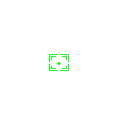
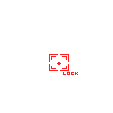 Box Lock ↓ Baixar
 Vertical ↓ Baixar
 Star ↓ Baixar
 XBox ↓ Baixar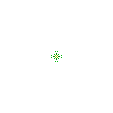
 BR ↓ Baixar
 Type 1 ↓ Baixar
  Type 2 ↓ Baixar
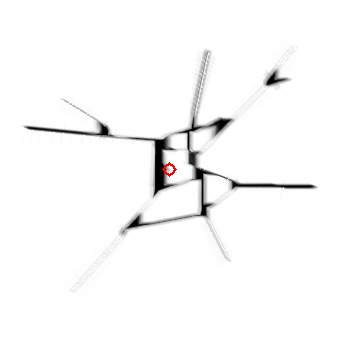 Type 3 Explosion ↓ Baixar
 Ebyul Type 2 ↓ Baixar
 Ebyul Type 4 ↓ Baixar
 Chamundara ↓ Baixar
 Lightmaria ↓ Baixar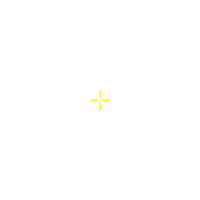
 Pallas Athena ↓ Baixar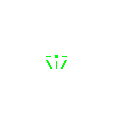
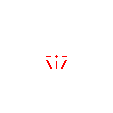 Nick (Olympus) ↓ Baixar
  Ruzby (KGunZ) ↓ Baixar
  Sung Goon Revver ↓ Baixar
 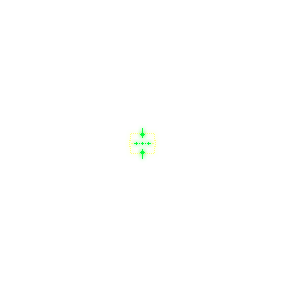 Model ChangMin ↓ Baixar
 Batanghwamyun ↓ Baixar
  SNSD ↓ Baixar
  Leave ↓ Baixar
  Weird ↓ Baixar
  Type 2 / 1 ↓ Baixar
  Type 2 / 2 ↓ Baixar
  Type 2 / 3 ↓ Baixar
  Type 2 / 4 ↓ Baixar
  Type 2 / 5 ↓ Baixar
  Type 2 / 6 ↓ Baixar
  Type 2 / 7 ↓ Baixar
  Type 3 / 1 ↓ Baixar
  Type 3 / 2 ↓ Baixar
  Type 3 / 3 ↓ Baixar
  Type 3 / 4 ↓ Baixar
  Type 3 / 5 ↓ Baixar
  Type 3 / 6 ↓ Baixar
 Quando a prévia mostra duas imagens, a segunda é a mira de alvo travado (crosshair_pick), incluída no zip.